Step 1: Log into your portal at E*Trade, Shareworks, and Morgan Stanley.

Choose your company

Reminders!

Every equity portal is different, so thanks for your patience to gather the essentials. Our objective is to find out what you own, what you paid for it and what’s vesting in the future.

We’re after three things (some sites put them in one report, some put them in three reports):

  1. A holdings report (csv or xls)

  2. A sales or transaction report (csv or xls)

  3. A future vesting report (csv or xls)

Please download these and share them with us via your Client Portal. If you have trouble, we can set up a short call to work through it together. 

vesting schedule grant spot

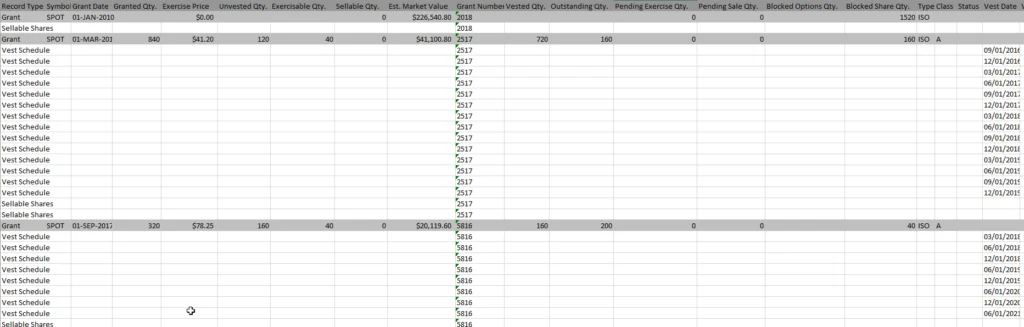
A sample holdings report.

my stock plan download expanded

E*Trade

Log into your portal at E*Trade

pull transaction details on eTrade
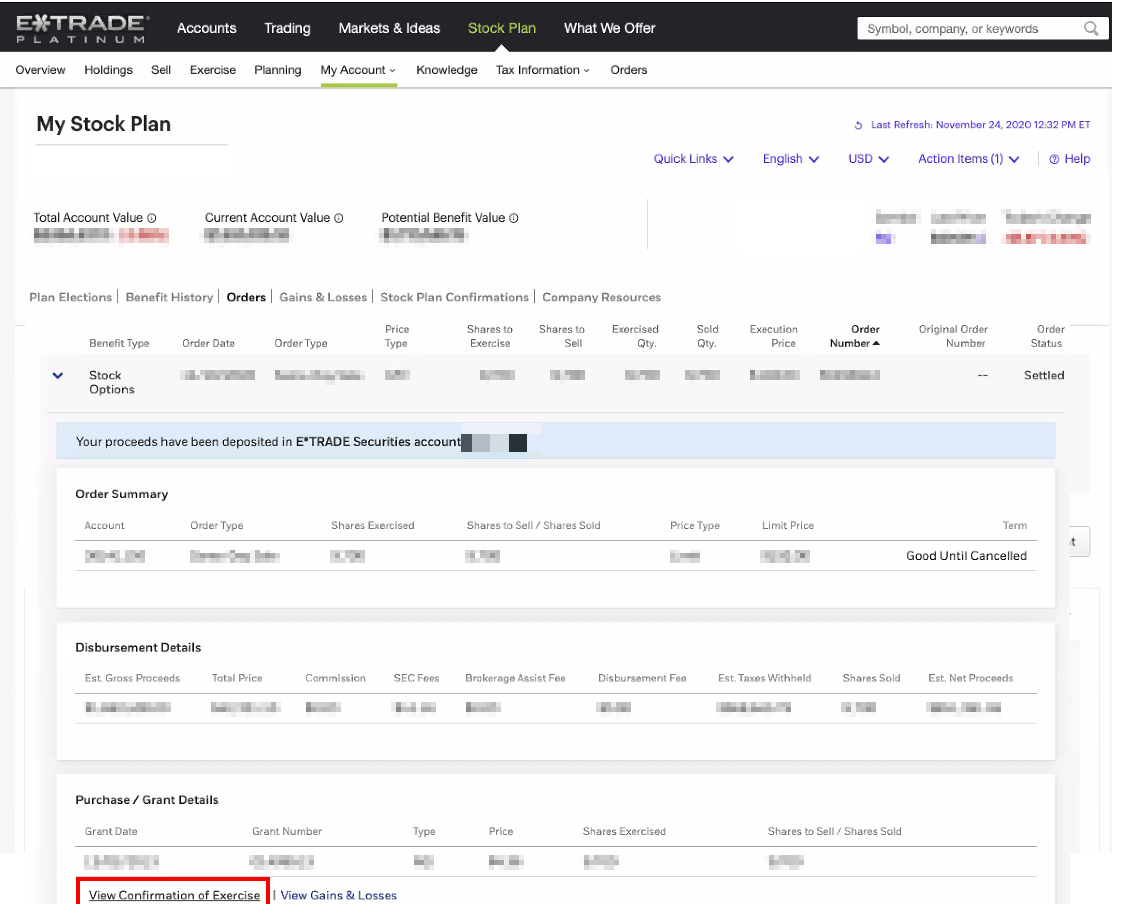
  1. Navigate to your Stock Plan Account (this is different from your Individual Brokerage)

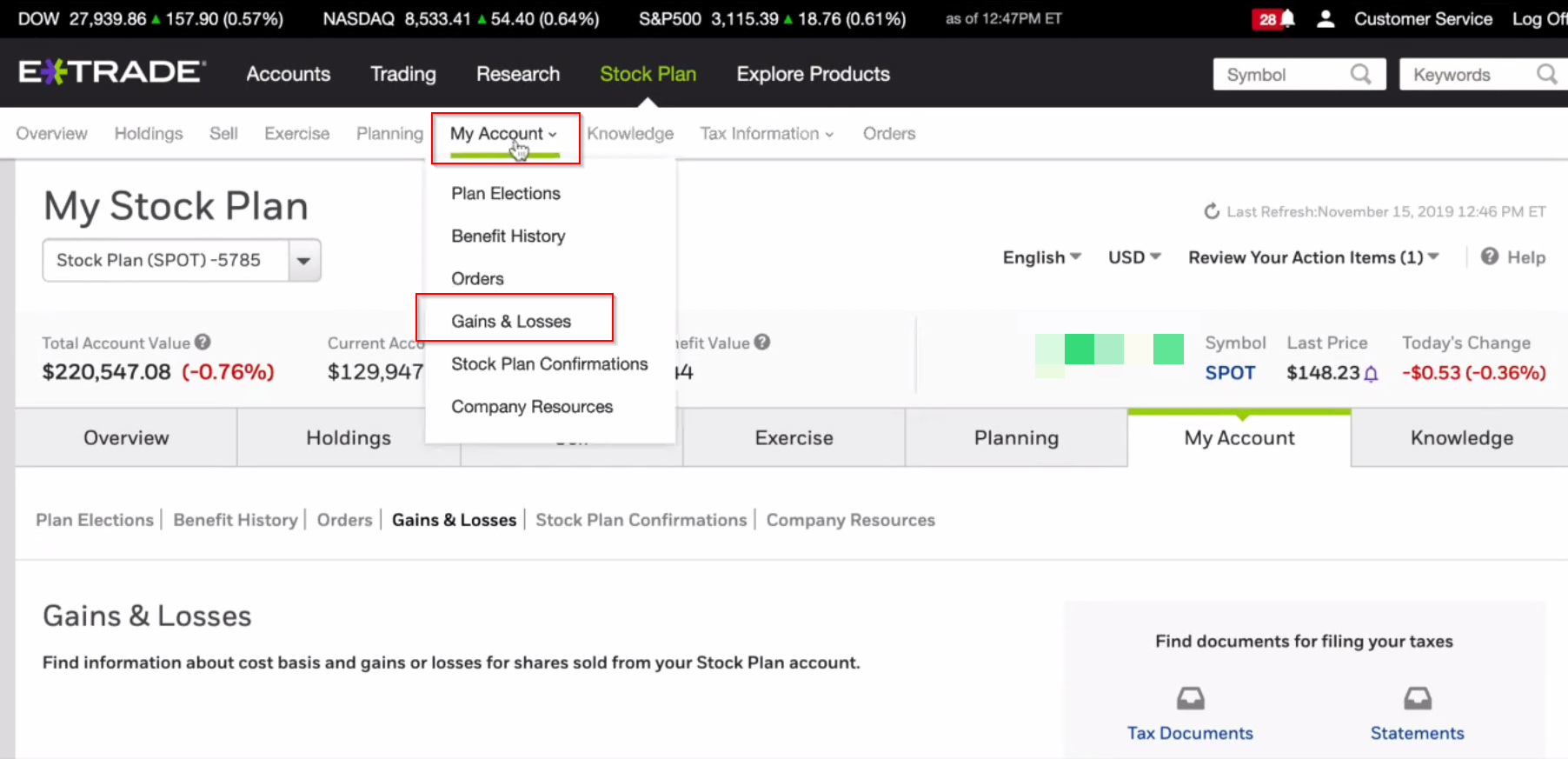
  2. Go to My Account > Gains & Losses.

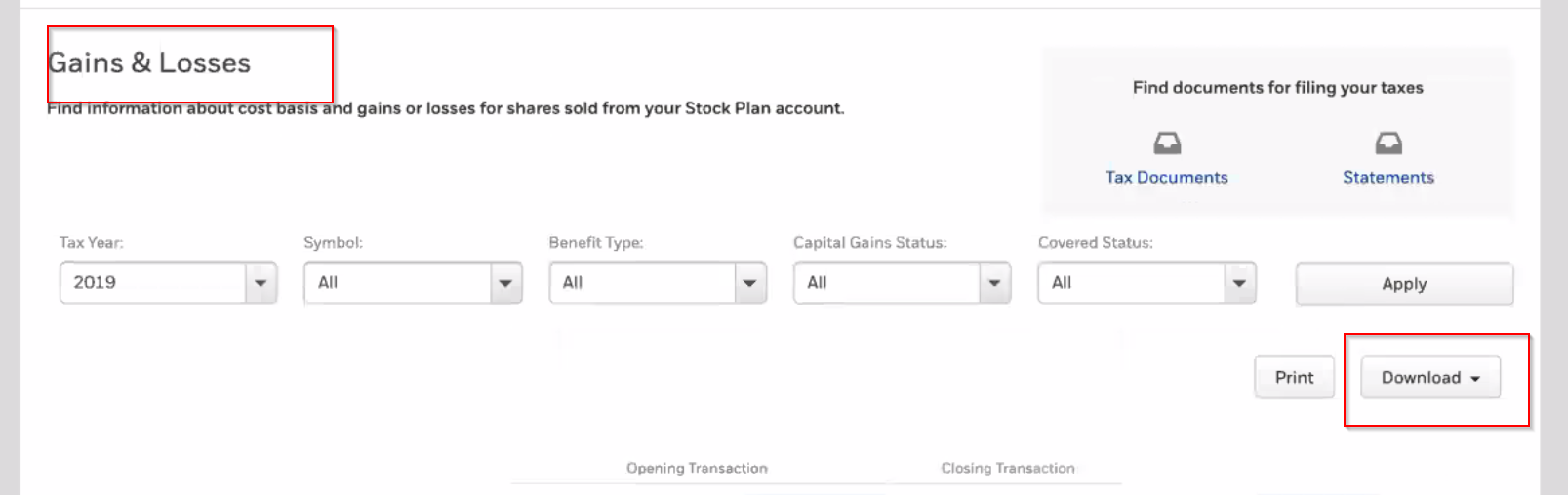
  3. What to download:

    • New Clients: Download the Expanded Gain & Loss report for ALL tax years

    • Existing Clients: Download the Expanded Gain & Loss report for the CURRENT tax year

  4. Go to the “Holdings” tab

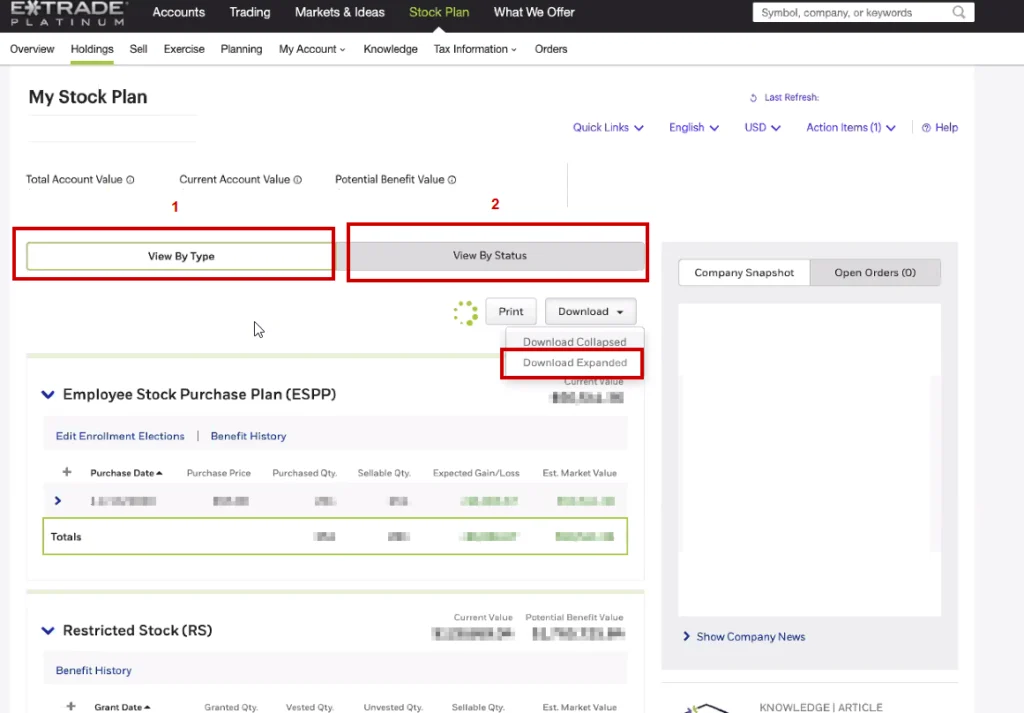
    • Download the Expanded Holdings By Type Report

    • Download the Expanded Holdings By Status Report

  5. Go to the My Account > Orders

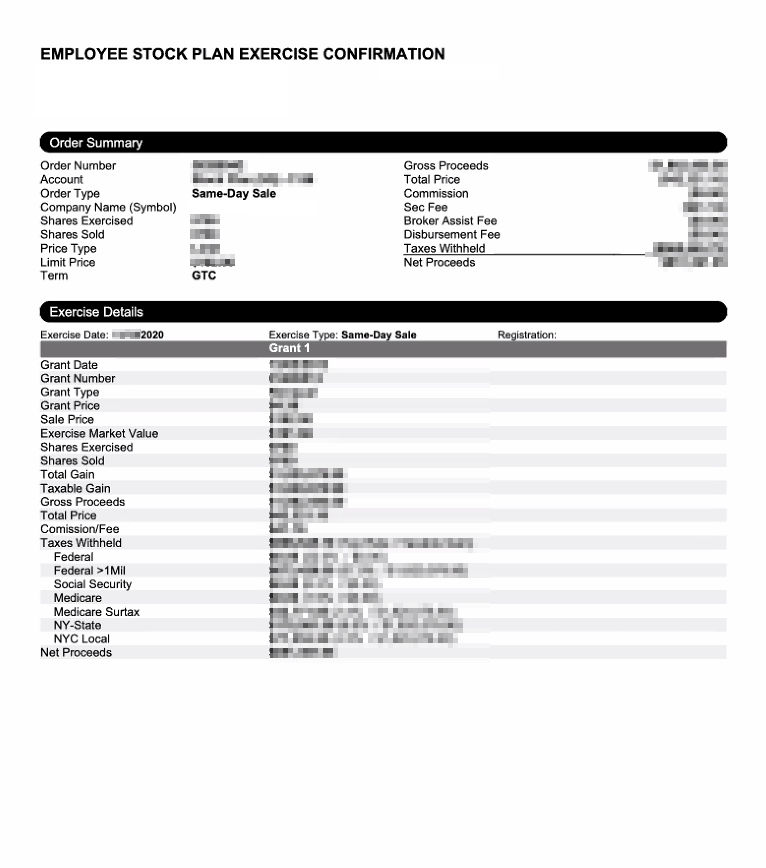
    • Download the Confirmation of Exercise Report for all exercises and available RSU vests (if applicable)

eTrade acount
gains & losses
etrade platinum account

THIS IS THE DOCUMENT THAT WILL SHOW THE TAX WITHHOLDING!

Please upload it for us

employee stock plan

Shareworks

Log into your portal at Shareworks

shareworks by morgan stanley
  1. Navigate to your Stock Plan Account

  2. Go to Activity > Reports

  3. What to download:
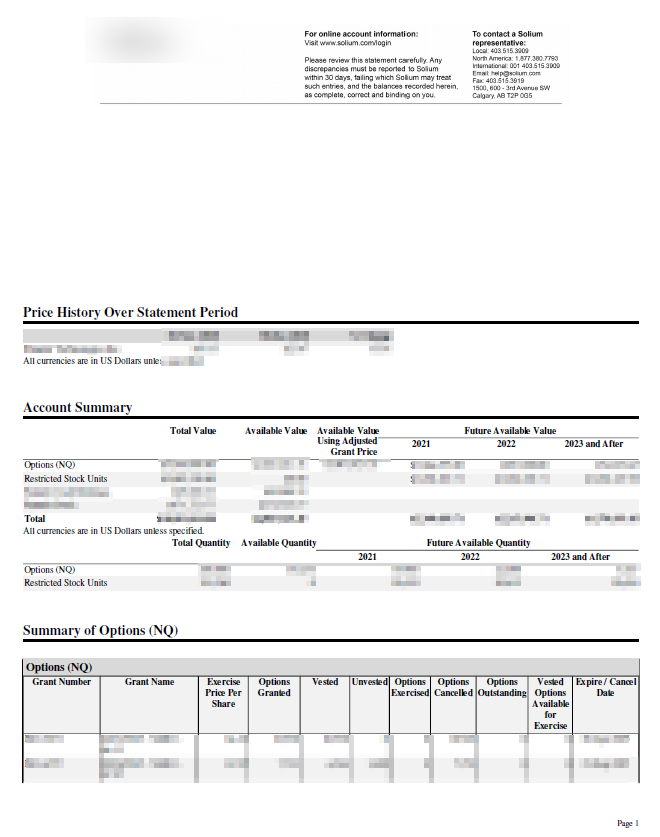
    • New Clients: Run a Shareworks Statement of Account for ALL Available History (in a PDF format).
    • Existing Clients: Run a Shareworks Statement of Account for the CURRENT tax year (in a PDF format).
account summary report

4. See below for an example of the report.

price history over statement

Morgan Stanley at Work

Log into your portal at Morgan Stanley at Work

morgan stanly at work

Stock Plan Connect

  1. Navigate to your stock plan account

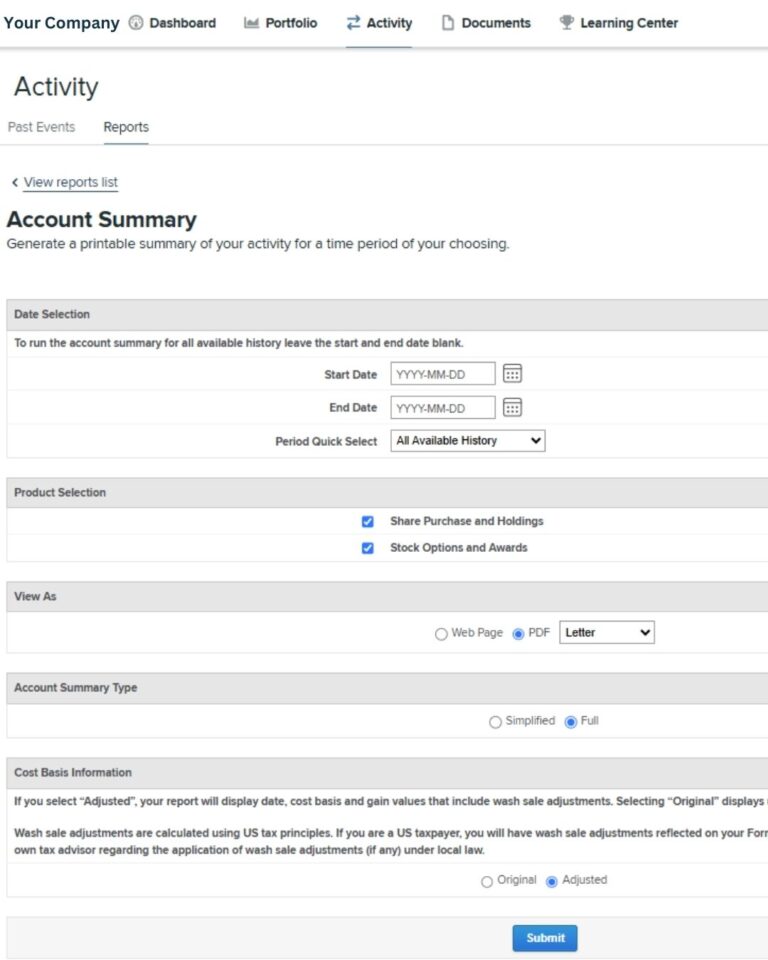
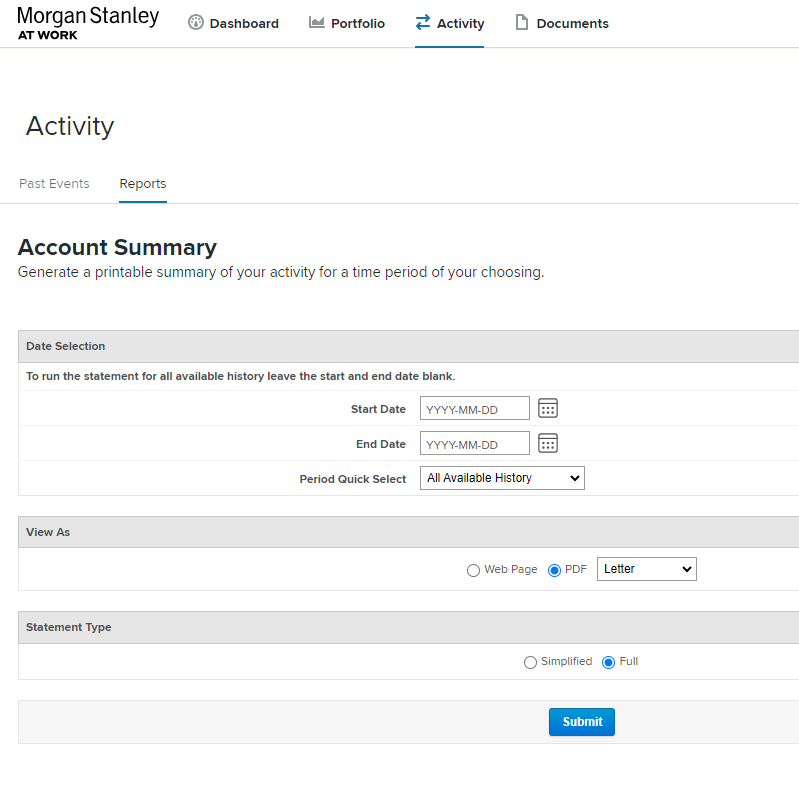
  2. Go to Activity -> Reports 

  3. What to download:
    • New Clients: Run a FULL Account Summary for ALL Available History (in a PDF format).
    • Existing Clients: Run a FULL Account Summary for the CURRENT tax year (in a PDF format).
Account Summary Morgan Stanley

UBS

Log into your portal at UBS

pull transaction of UBS
  1. Navigate to your Stock Plan Account

  2. Click into your Holdings / Equity Awards

    • Download a Future Vest Report

    • Download an Account Report

    • Download your most recent monthly statement

UBS Stock Plan

Fidelity

Log into your portal at Fidelity

Fidelity Investments
  1. Navigate to your Stock Plan Account

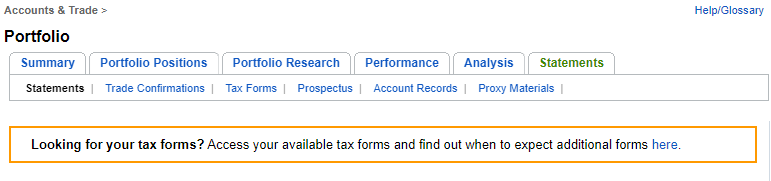
  2. Click into your Accounts & Trade > Statements

    • Download your most recent statement

    • Download Trade Confirmations

  3. Download any reports on future vesting

fidelity portfolio

Carta

carta with jenni as advisor

If your equity is recorded in Carta, please invite jennifer@modernfamilyfinance.com as an advisor.

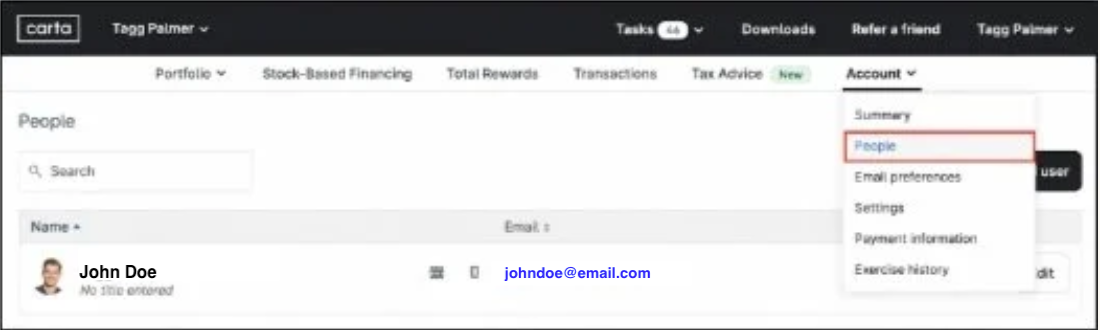
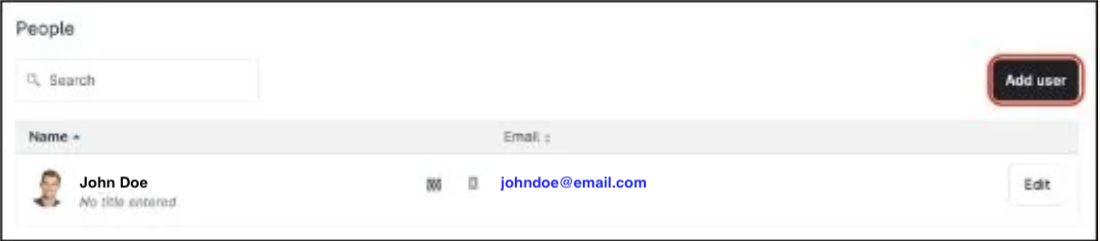
  1. Log into your Carta account and navigate to the Account > People page> Add user

carta
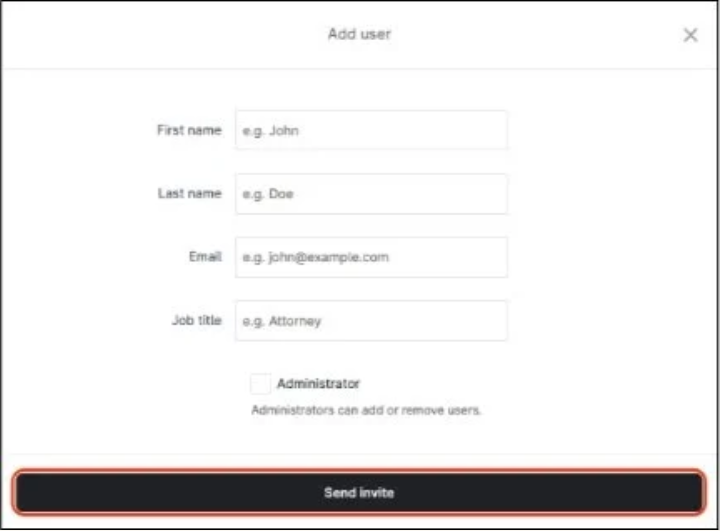
Add user

2. Enter the new additional user’s details.

send invite form

First Name: Jennifer

Last Name: Dazols

Email: jennifer@modernfamilyfinance.com

Job Title: Founder

3. After entering the information, click Send invite.


Remember:

Adding an additional user to your portfolio will give that user full access to your portfolio. It is recommended to only share your portfolio with those you trust. Here are some examples of actions and information these additional users will have access to:
 

  1. Accepting securities

  2. Banking information, including account numbers

  3. Portfolio account summary, including social security numbers and home address

  4. Tax forms